Job market dashboards
Explore job activity by source, role, location, skills, and other dimensions using interactive dashboard panels.
Explore job demand, match talent to opportunities, and track progress in one workspace. Staffing, placement, and individual job-search workflows build on the same intelligence platform.
Explore job activity by source, role, location, skills, and other dimensions using interactive dashboard panels.
Find consultants for a requirement or requirements for a consultant. Core matching is included across the Founding, Starter, and Growth plans.
Turn resumes into structured consultant profiles with skills and experience information your team can review.
Bring vendor requirements from a connected mailbox into your workflow as structured records.
Review exact and related skills and identify gaps before deciding which opportunities to pursue.
Move from reviewing a match to a Right-to-Represent request, with an activity trail for follow-up.
Narrow opportunities with filters and configure job columns and sorting to support your team’s daily review.
Organize consultants and sales workflows across teams as your staffing operation grows.
Work with jobs from supported sources and your connected requirements. Choose market capacity that fits your plan.
Review extracted requirements before they enter your pipeline. Use rules for trusted vendor domains, rate thresholds, or title keywords, with duplicate detection to reduce repeated entries.
Turn raw job descriptions into structured skills, locations, work settings, rate ranges, and other fields that support filtering and matching.
Inspect the current job selection by category, source, work setting, seniority, and market. The insights panel updates as you change filters.
Use 22+ filters, 20 configurable columns, and up to three sort levels. Save personal defaults and review jobs in a split reading pane.
Explore 13 dashboard panels, including job trends, top skills, companies, and locations. Drill-down views connect market exploration to filtered job results.
Organize access by group, pod, and role. Each group can have its own feature set: system administrators enable or disable platform capabilities per group from the admin panel. Self-hosted installs can restrict the available feature set at the deployment level using a single environment variable. Users can enable time-based two-factor authentication in their security settings.
Review skill gaps with your consultants, update resumes, and compare refreshed match results. Keep notes and track progress through application stages.
Record visa type, expiry date, and H-1B cap status for every consultant. Advisors receive a daily email digest listing expirations within 90 days, color-coded by urgency. Amid increasing USCIS worksite visits and DOL bench pay enforcement, knowing every consultant's status before a problem arises is no longer optional. Consultants update their own visa details through the intake form.
See latest USCIS & DOL updates →See where a consultant's salary expectation falls against active market data: P25, median, and P75 from real job postings in the same role and market. Updated instantly when a consultant is selected, using JobSeam's own harvested job data.
Identify consultants who have been available for 30, 60, or 90+ days with no active submission. Red and amber banners on the Onboarding page surface names and days on bench so advisors can prioritize outreach before a consultant goes stale.
When a consultant is about to confirm an RTR while already active with other staffing companies on JobSeam, they see how many other submissions they have before confirming. The agency never sees cross-company details. The candidate is the only one with that visibility.
Scores each client company 0-100 from submission pipeline activity: stage progression, interview conversion, and placement rate. Shown as a live dashboard panel so recruiters can prioritize high-engagement clients and spot relationships going cold.
Recruiters generate a read-only link for a hiring manager to track submitted candidates, current stage, and role details. No account or login required on the client side. Links are per-company, expire in 30 days, and can be regenerated at any time.
Give a C2C or consulting company a dedicated read-only link to track all their consultants across your active submissions: current stage, client company, job title, and submission date. Recruiters generate the link in one click from the placement pipeline. The consulting company sees only their own consultants. No account required.
Propose up to three interview time slots directly from the placement pipeline. The candidate receives a branded email with one-click confirm links, no login required. When they confirm, the recruiter and the consulting partner's bench sales contact are both notified automatically. Every party stays in the loop.
Send bulk personalised emails to selected consultants directly from the platform. Compose a campaign with subject and body, pick recipients from your consultant roster, and send in one click. Each email replaces {{name}} and {{first_name}} automatically. Save common messages as reusable templates. Every send is tracked with delivery status per recipient.
Log weekly consultant hours with regular and overtime rates, bill rate, pay rate, and client company. Approve or reject submissions from the invoices page. Generate itemised invoices with tax support and per-line-item billing. Track invoice status through draft, sent, paid, and void stages. Outstanding balances are surfaced at a glance in the summary bar.
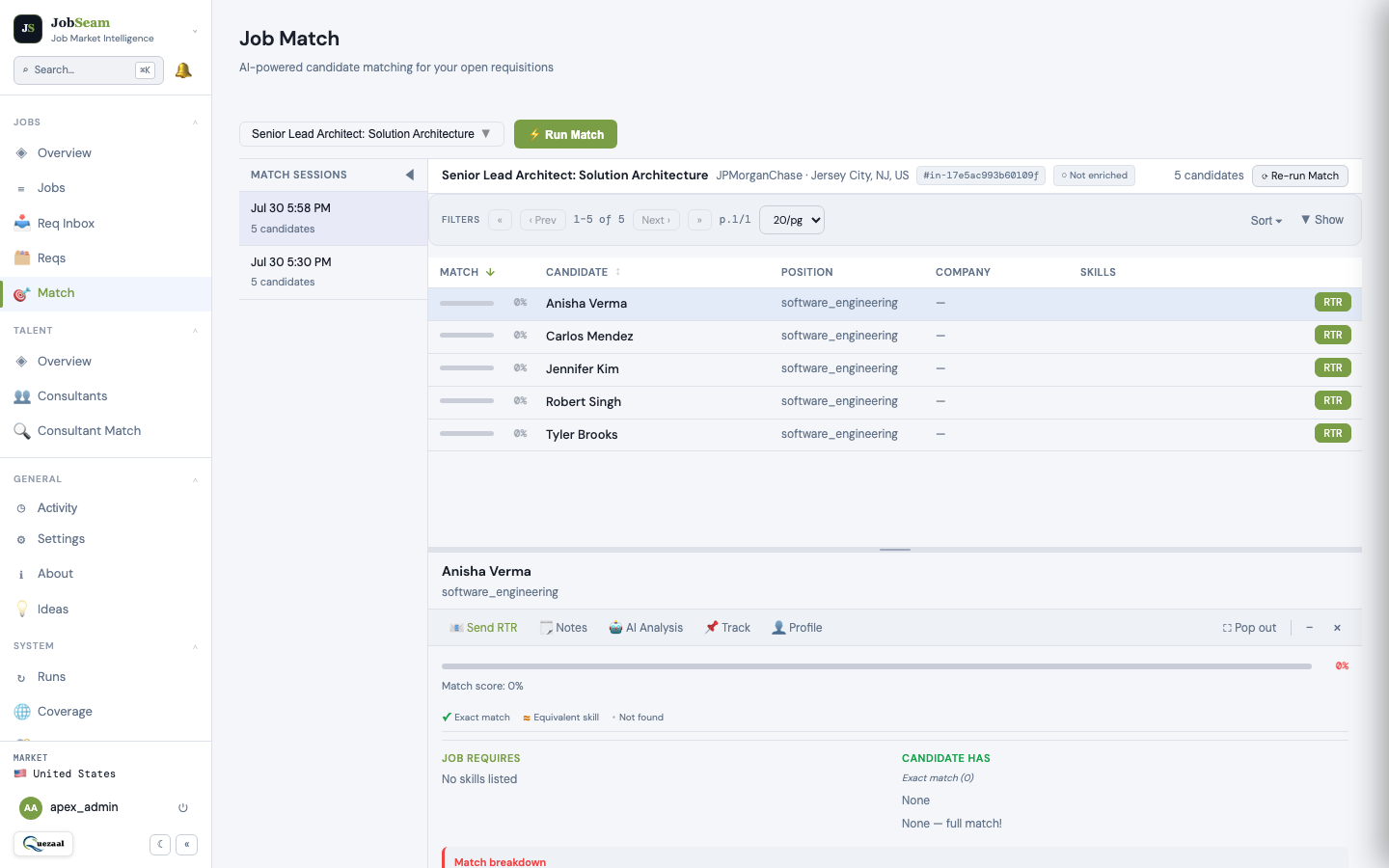
See dashboard panels, job-page controls, configuration options, and deployment contexts in the detailed guide.
Open the detailed feature guide →For plan capacities and included features, see the pricing comparison.
JobSeam also supports education and training teams, individual job seekers, and talent-facing workflows. Configurable terminology adapts labels for consultants, students, cohorts, and advisors.
Education teams can review cohort readiness and skill gaps; individuals can organize target jobs and track applications. Discuss the setup and plan fit for these contexts during a demo.
Explore deployment contexts in the detailed guide →Shipped features are live for all plans. Planned items are on the roadmap; timelines are estimates and may shift.
Explore market demand, talent matching, and the workflow that fits your goals. Bring an anonymized resume if you like, or we’ll use sample data.
Book a 20-minute demo ↗Organize evidence, draft documents, and review decisions in one workspace. Your team controls the facts and the release of public documents.
Move from LCA preparation and notice records through petition tracking, I-9/E-Verify, ongoing review, PAF documents, and candidate activity. Unsaved entries stay in place when you switch stages.
Keep multiple LCA records per consultant. Capture worksite addresses, notice methods, posting dates and locations, evidence, certification dates, and employee delivery/receipt records. Calendar-day counts and date checks flag items for human review.
Prepare posting acknowledgments, employee LCA receipts, pay-rate statements, actual-wage summaries, and benefits summaries as unsigned DOCX drafts. Your team supplies the facts, reviews the draft, and obtains signatures where needed.
Company administrators can explicitly publish reviewed PDFs to an employer-specific Public Access File page that visitors can open without an account. Withdraw access when needed. Candidate profiles, private notes, payroll records, and petitions stay outside the public page.
Open PAF checklists, access and retention guidance, workflow instructions, and official DOL/eCFR links from the System menu. Flag discrepancies through Ideas or contact support with the source details.
Move and resize application dialogs, maximize for detailed review, or restore/reset the window. Close controls honor supported unsaved-change checks so a layout change does not discard your entries.
Generated drafts are unsigned and private. Public release requires a separate administrator review of a PDF. JobSeam does not file LCAs or H-1B petitions, certify compliance, or replace legal review and required inspection arrangements. Modules are enabled for your team during onboarding.
Read the compliance FAQ →Compare published monthly and annual pricing for Founding, Starter, and Growth. Private hosting, custom integration development, assisted legacy-data migration, and dedicated services are scoped separately.